Walk into any busy retail store, warehouse, or shipping hub and you will likely spot an Xprinter label printer quietly doing its job. These machines have become a staple for businesses that need dependable, affordable thermal printing without the complexity of high-end enterprise systems. However, the Xprinter catalog is broad, and the differences between models can be subtle enough that buyers often end up with a device that does not quite fit their needs. This guide breaks down the features, sizes, and applications you should compare before making a purchase, helping you avoid the trap of buying either too much machine or too little.
Why Xprinter Has Become a Trusted Name in Thermal Printing
Xprinter earned its place in the market by offering thermal printers that strike a rare balance between price and performance. Unlike premium brands that charge a significant markup for similar specifications, Xprinter focuses on delivering core functionality that small and mid-sized businesses actually need. Their printers are widely used in supermarkets, logistics companies, clinics, and e-commerce fulfillment centers around the world. The brand supports both direct thermal and thermal transfer printing, covers a wide range of label sizes, and offers models that connect through USB, Bluetooth, Wi-Fi, and Ethernet. This versatility is precisely why comparing models carefully matters, since two printers with similar looks can serve very different purposes.
 ### Key Features That Separate One Xprinter Model from Another
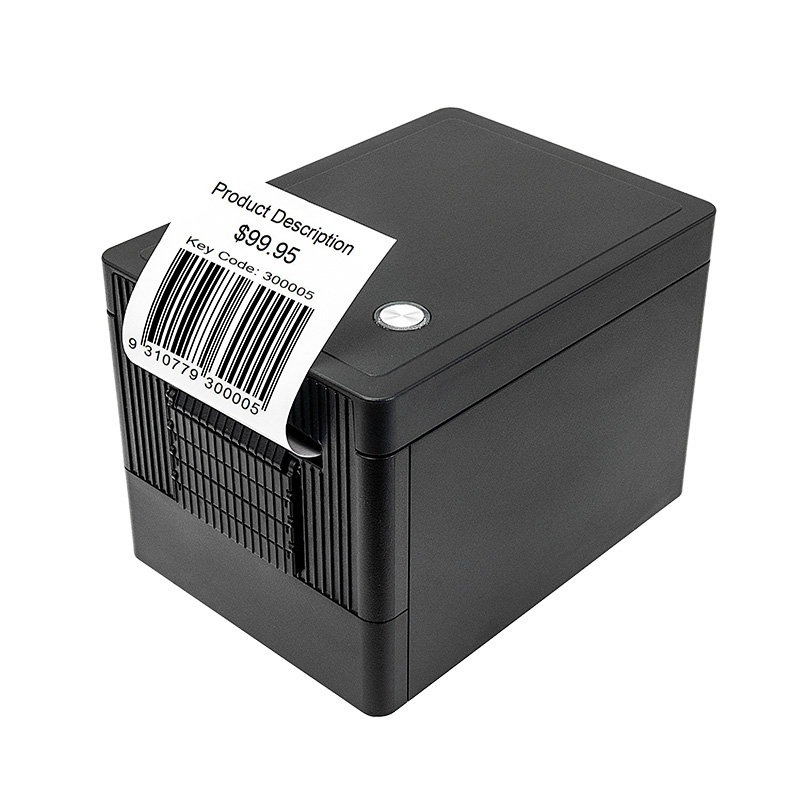
When you line up several Xprinter models side by side, the differences come down to a handful of critical features. Print resolution is one of the first things to check, with 203 dpi being sufficient for standard barcodes and shipping labels, while 300 dpi is necessary for tiny text, dense graphics, or two-dimensional barcodes used in healthcare and electronics. Print speed is another differentiator, ranging from modest speeds suitable for a retail counter to high-speed output built for warehouses printing thousands of labels daily. Memory and processor specifications also vary, affecting how quickly the printer handles complex label formats. Finally, the presence of an auto-cutter, peeler, or label taken sensor can dramatically change how smoothly your workflow runs, so these features deserve close attention rather than a passing glance.
Understanding Label Sizes and Media Compatibility
One of the most common mistakes buyers make is assuming any label printer can handle any label. Xprinter models support different maximum media widths, and while many accommodate the standard four-inch shipping label, smaller models may cap out at two or three inches. You should also consider the inner diameter of the label roll, as some printers accept larger rolls that reduce how often you need to reload. Sensing method matters too, because printers rely on either gap sensing or black mark sensing to align labels correctly, and choosing the wrong one for your media leads to misprints and wasted stock. If your business uses multiple label types, such as product tags, shelf labels, and shipping labels, look for a model with adjustable guides and broad media support to avoid needing several machines.
Matching Printing Applications to the Right Device
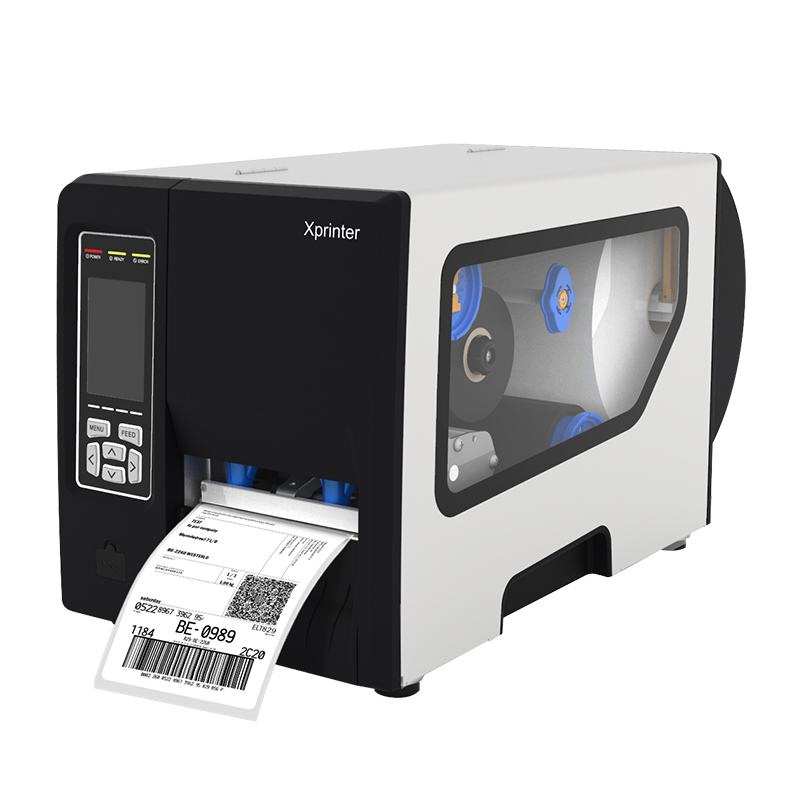
Different industries demand different things from a Xprinter label printer ↗, and Xprinter’s range reflects that reality. Retail environments typically call for compact desktop printers that produce barcode labels and price tags quickly and quietly, often positioned right at the point of sale. Warehousing and manufacturing operations need rugged printers with high duty cycles, fast print speeds, and the ability to run continuously through long shifts. Shipping and logistics teams prioritize high-resolution output for carrier-compliant labels, along with reliable connectivity to shipping software. Healthcare settings often require 300 dpi printing for wristbands and specimen labels, where accuracy is non-negotiable. Identifying your primary application before browsing models will instantly narrow your options and prevent you from paying for capabilities you will never use.
Connectivity Options and Integration with Your Systems
A label printer that cannot talk to your existing systems is little more than a paperweight, so connectivity deserves serious consideration. Basic Xprinter models offer USB connections, which work fine for a single computer setup in a small shop. Network-enabled models with Ethernet or Wi-Fi allow multiple users to share one printer, which is invaluable in warehouses and larger retail locations. Bluetooth connectivity is essential for mobile printing, whether your staff uses tablets on the sales floor or handheld devices in the field. Beyond hardware connections, verify that the printer supports the command languages your software uses, such as ZPL or EPL, and that drivers are available for your operating system. Checking compatibility before purchase prevents the unpleasant surprise of a printer that refuses to communicate with your point-of-sale or inventory platform.
 ### Direct Thermal Versus Thermal Transfer: Choosing Your Consumables
The consumables you plan to use will influence which Xprinter model makes sense for your business. Direct thermal printing requires no ribbon, using specially coated paper that darkens with heat, which keeps operating costs low and maintenance simple. The trade-off is that direct thermal labels can fade over time or smudge when exposed to heat, sunlight, or friction, making them best suited for short-term applications like shipping labels and receipts. Thermal transfer printing uses a ribbon to create durable, long-lasting labels that resist scratching and moisture, ideal for asset tags, chemical labels, and products stored in challenging conditions. If longevity matters, invest in a thermal transfer capable model; if speed and simplicity matter more, direct thermal will serve you well.
Budgeting for Purchase Price and Ongoing Costs
The sticker price is only part of the story when buying an Xprinter label printer. Entry-level desktop models are remarkably affordable and perfect for low-volume users, but they may need replacing sooner under heavy use. Mid-range and industrial models cost more upfront yet deliver longer lifespans and lower cost per label over time. You should also calculate consumable expenses, since direct thermal labels and thermal transfer ribbons vary in price depending on quality and quantity. Consider warranty coverage, availability of spare parts, and the cost of potential downtime, because a cheaper printer that fails during peak season can cost far more than a slightly pricier model that runs without complaint. Weighing all these factors together will lead you to a printer that fits both your budget and your long-term operational reality.