A garage door remote that suddenly stops working creates a minor crisis in any household. You press the button, nothing happens, and the only way into the garage becomes trudging through the front door and using the wall switch. Before you assume the remote has died or the opener has failed, consider that reprogramming often solves the problem in minutes. Farnsworth technicians reprogram remotes on countless service calls throughout the Valley, and they have learned that the process is simpler than most homeowners expect once you understand a few key details.
Why Remotes Lose Their Programming
Remotes rarely forget their codes for no reason. Power outages and electrical surges frequently wipe the opener's memory, severing the connection between the motor unit and every paired remote. Replacing batteries can sometimes reset a remote to factory defaults. New remotes arrive unprogrammed and require pairing before use. Someone accidentally pressing the learn button on the opener can also clear existing remotes. Understanding these common causes helps homeowners recognize when reprogramming is the appropriate fix rather than assuming hardware has failed and needs replacement.
 Finding the Learn Button on Your Opener
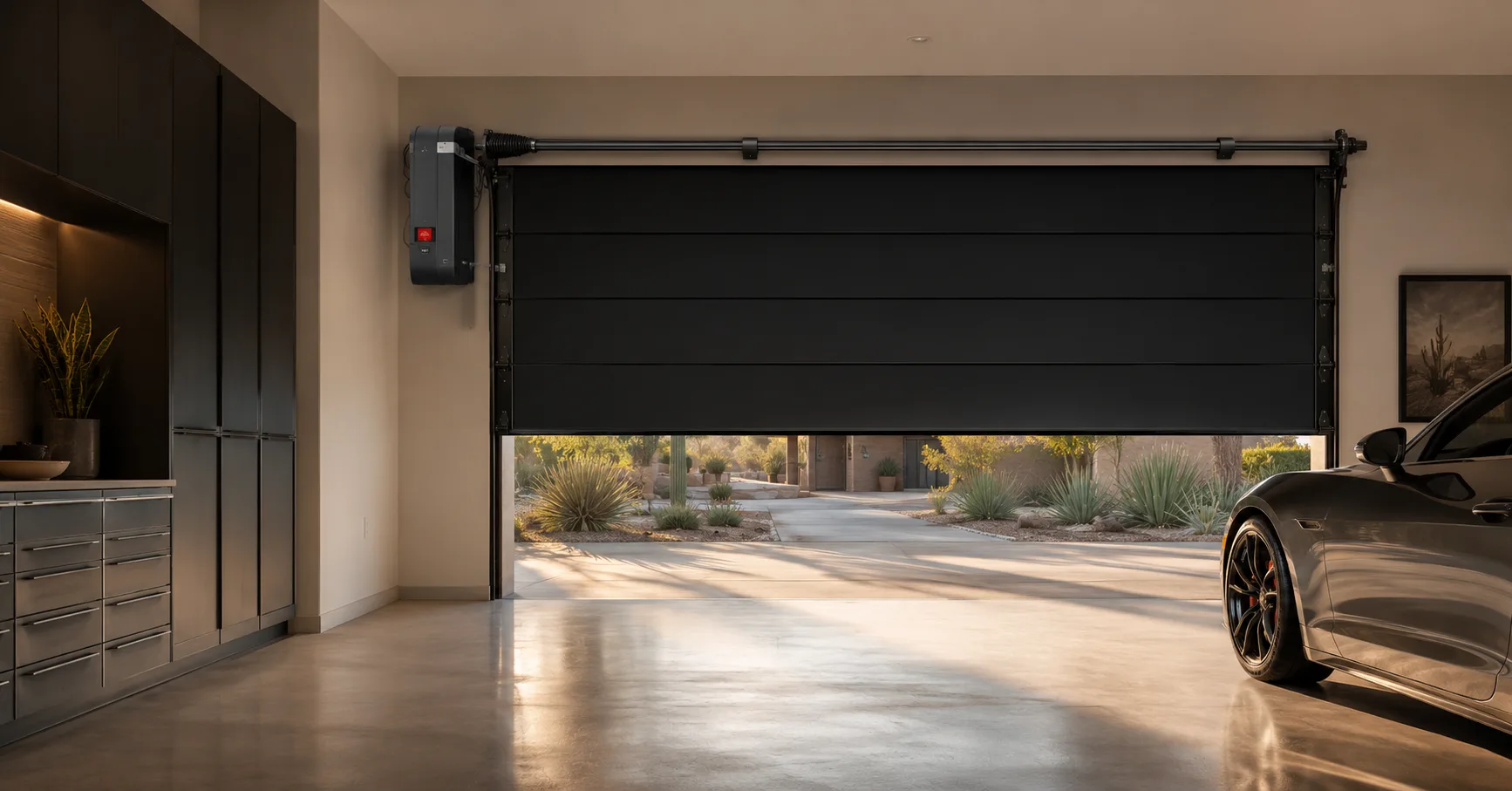
Every programming process begins with locating the learn button on the opener motor unit. This small button, usually red, purple, yellow, or green depending on the manufacturer, sits on the back or side of the motor housing. Some models hide it behind a light lens cover that pops off easily. The button's color matters because it indicates which technology your opener uses, and remotes must match that technology to work. Farnsworth technicians identify this button immediately, but homeowners can find it by examining the unit or consulting the owner's manual if it has been misplaced.
The Basic Programming Sequence
Once you locate the learn button, the process follows a consistent pattern across most brands. Press and release the learn button, and the opener's indicator light begins blinking, signaling that it is ready to receive a new remote signal. Within thirty seconds, press and hold the button on the remote you want to program. Hold it until the opener's light stops blinking or clicks, confirming successful pairing. Release the remote button and test the door immediately. If nothing happens, repeat the sequence, paying attention to timing since the window closes quickly.
Handling Multi-Button and Universal Remotes
Some remotes require slightly different handling. Multi-button remotes designed to control several doors need each button programmed separately, often using different opener learn buttons or channels. Universal remotes frequently require a preliminary step where you enter a code corresponding to your opener's brand. Homelink systems built into vehicles involve holding the car's button while pressing the remote near the visor. These variations trip up many homeowners, but the underlying principle remains the same. Patience and careful reading of manufacturer instructions resolve most difficulties.
When Programming Fails to Work
If repeated attempts yield no results, several factors deserve investigation. Confirm the remote's battery is fresh and installed correctly, since weak batteries cause inconsistent signals. Verify that you are pressing the correct button during the learn sequence. Check whether the opener has a vacation lock engaged, which disables remote operation entirely. Interference from LED bulbs or nearby electronics occasionally blocks signals. Remotes manufactured for different frequency technologies simply will not pair regardless of technique. At this point, professional diagnosis saves time and prevents frustration.
 Keypads, Smartphones, and Other Access Devices
The same learn button that how to program a garage door remote ↗ also handles wireless keypads and smartphone app connections. Keypads typically require entering a programming code before pressing the learn button sequence. Smartphone integration through MyQ or similar platforms usually involves following in-app instructions while the opener sits in pairing mode. These devices expand convenient access to your garage, but each adds a layer of complexity. Farnsworth technicians program all of them during installation and service visits, ensuring every household member has reliable access through whatever method they prefer.
When to Call Farnsworth for Programming Help
Most remote programming succeeds with patience and the right sequence, but some situations warrant professional assistance. Older openers with obsolete technology may need receiver upgrades before modern remotes will work. Remotes that fail to pair despite fresh batteries and correct technique may have internal defects. If you have tried everything and the remote remains unresponsive, Farnsworth technicians can diagnose the problem quickly and restore convenient access. Do not let a stubborn remote keep you using the front door. A quick service call often resolves the issue permanently.